
SkyTeam search in Bonussøk: the complete guide to every search
When SAS joined SkyTeam in 2024, your EuroBonus points suddenly worked across a whole network of partners: Air France, KLM, Delta and around fifteen others. The catch is that partner availability is hard to see and tedious to dig for by hand. That’s why Bonussøk has not one but several SkyTeam tools, each built around a slightly different way of looking.
This guide covers all of them and shows you how to use each one. The SkyTeam tools are part of the Pro tier. See pricing and plans for what’s included.
The live search: when you know where you’re going
This is the heart of the SkyTeam section. You enter an origin and a destination, and the search hunts for open award seats on the partners. The from and to fields accept more than one airport: you can type a city, a region like “Europe” or “Asia”, or a specific IATA code.
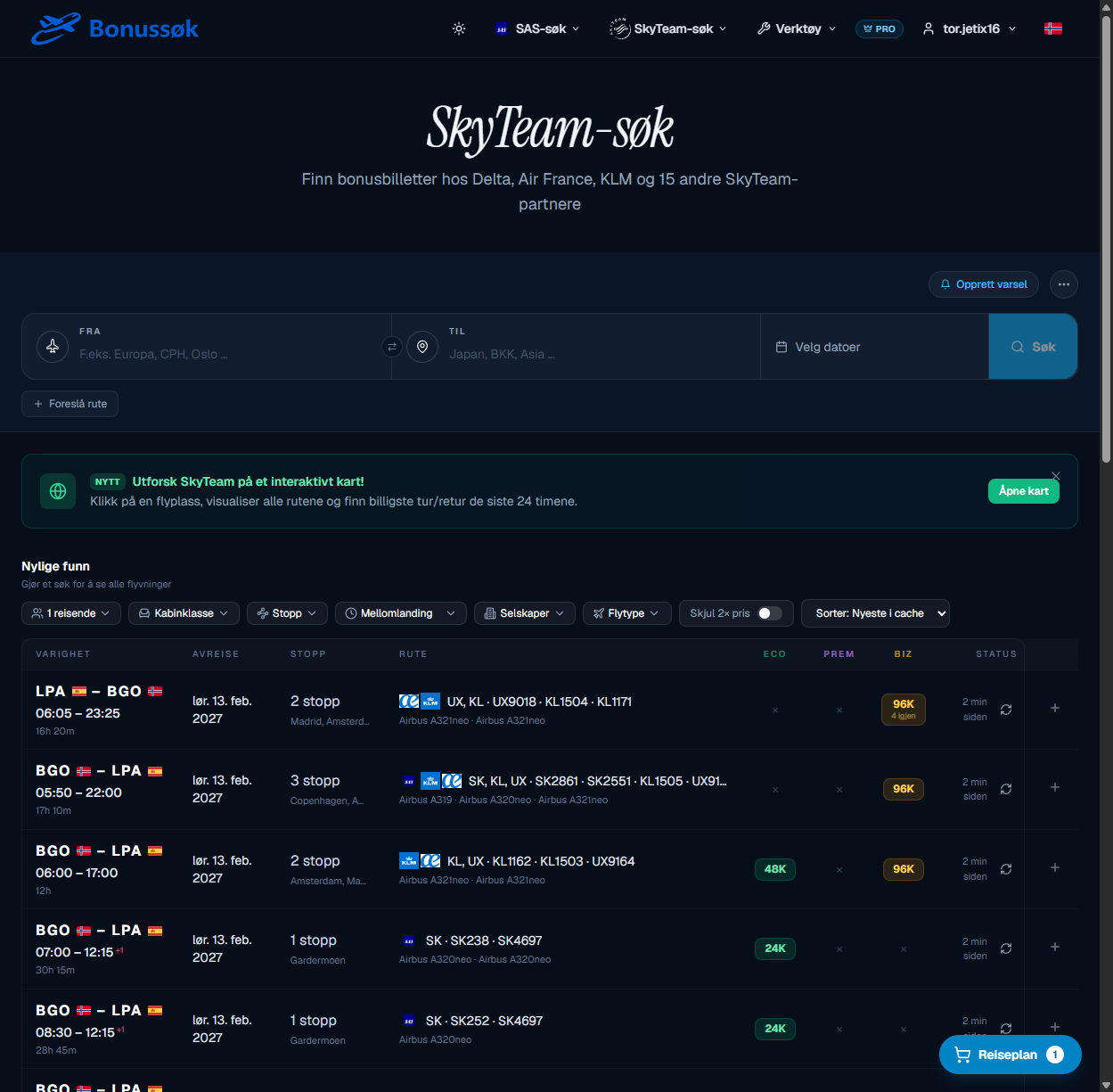
Below the search field you’ll find the most recent finds, pulled from a cache so you see something right away. The filters above the list let you narrow down by cabin class, number of stops, layover, which airlines you want to fly and aircraft type. You can also hide departures with double points pricing and sort by how fresh a result is.
Two details are worth knowing:
- Live search confirms availability in real time. The cache shows what was recently open, and a live search checks whether the seat is still there right now.
- “Suggest route” lets you request a route we don’t monitor yet. Type in the IATA codes, and we’ll consider adding it.
The map: when you want to explore
If you’re not sure where you want to go, the map is the best place to start. It shows the entire SkyTeam network on an interactive globe. You click one airport for departure and another for the destination, and the route is drawn for you.
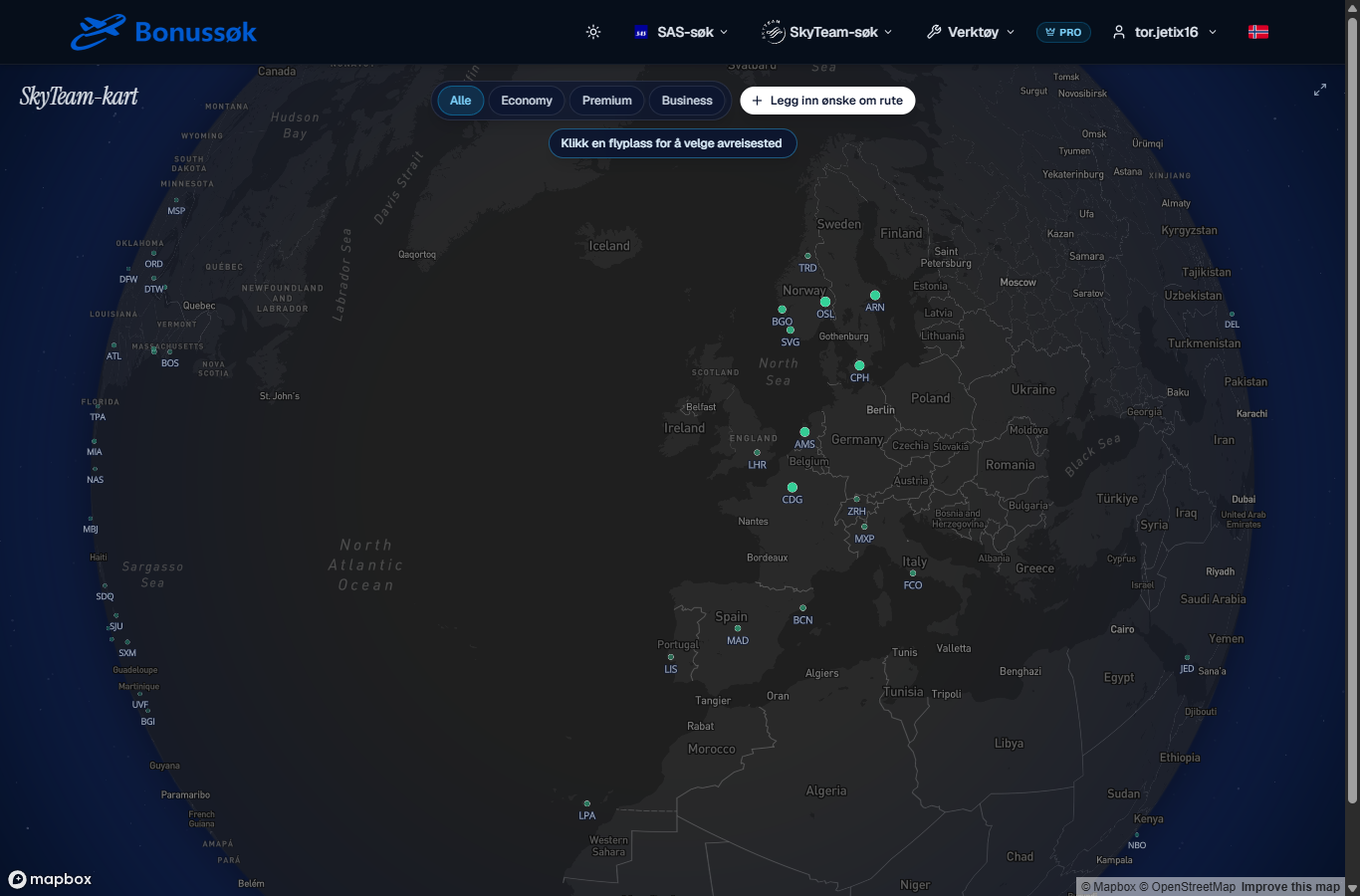
You can filter by cabin class, so you see where Business, for example, is actually open. The map is the simplest way to go from “I have points” to a concrete idea of where they can take you. There’s more on this in the dedicated guide to the SkyTeam map.
Award Finder: browse destinations by month
Sometimes you know the timing but not the place. Award Finder (SkyTeam destinations) flips the search around: you start from a hub, say OSL, and browse the destinations that have open award seats, sorted by month.
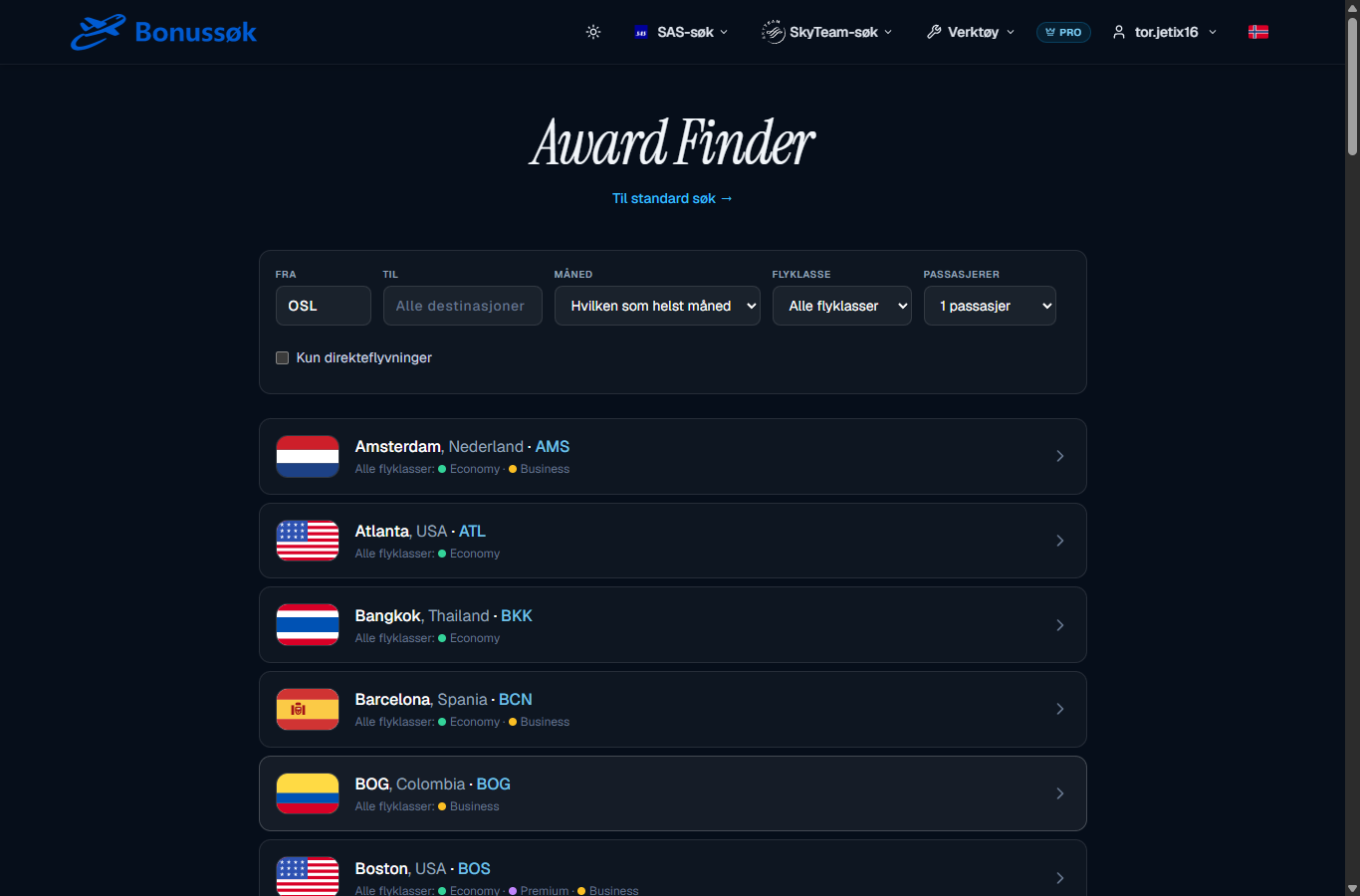
For each destination you can see at a glance which classes are open, marked with coloured dots for Economy, Premium and Business. You can filter by month, cabin class and number of passengers, and tick a box for direct flights only. That makes it easy to pick a destination based on what’s actually available, instead of checking ten routes by hand. See also the guide to SkyTeam destinations.
Trip-Finder: ready-made round-trip suggestions
The hardest part of a partner trip is getting the outbound and return to line up on dates that fit together. Trip-Finder solves that puzzle for you and finds complete round trips.
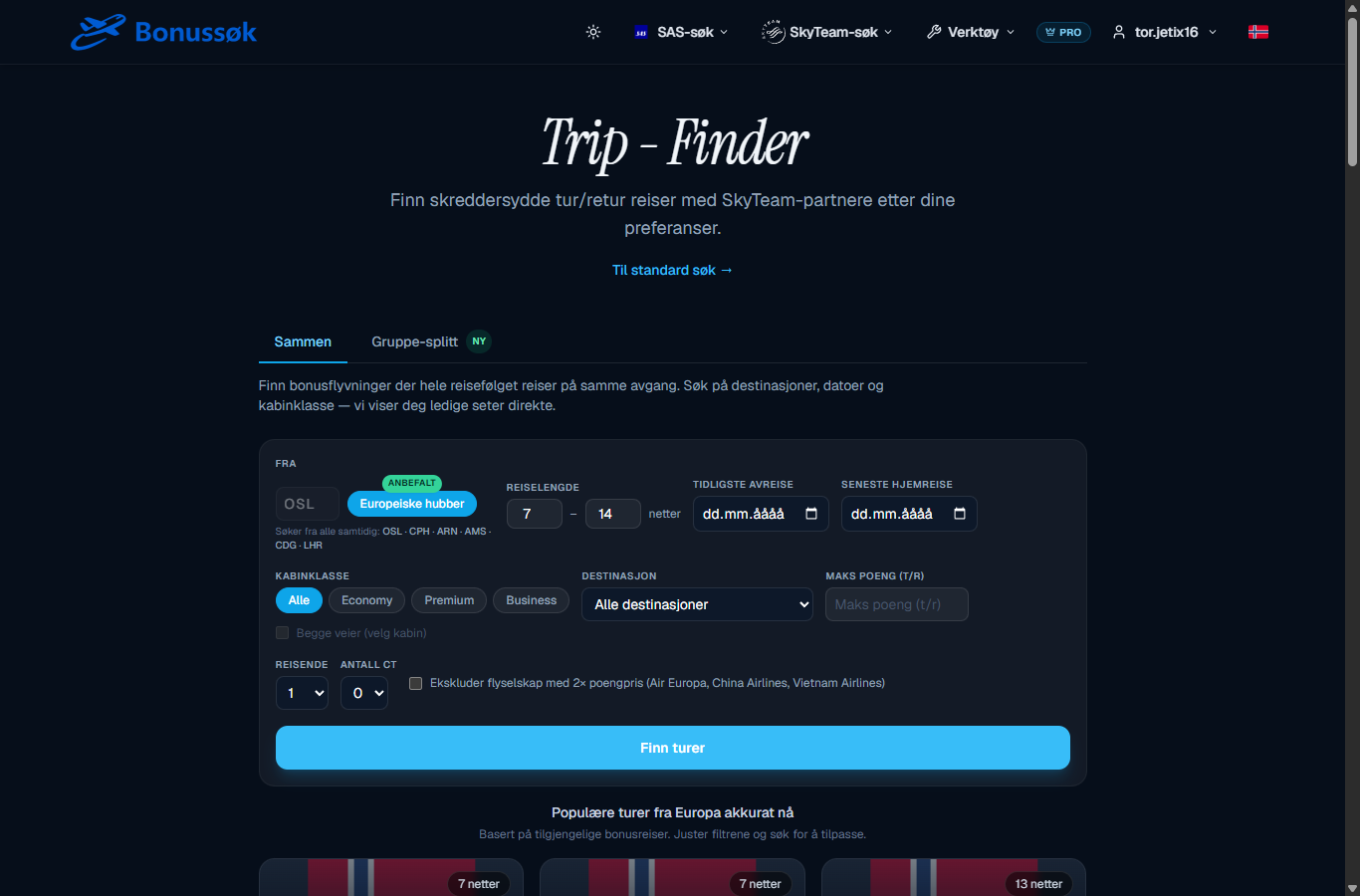
A few things make this powerful:
- You can search from several big hubs at once, including OSL, CPH, ARN, AMS, CDG and LHR. If you live in the Nordics, it picks up departures from whichever hub suits you.
- You set the trip length (say 7 to 14 nights), cabin class and a maximum points price.
- You can exclude airlines that charge double points, so you only see the cheapest partners.
- There’s a separate Group split for finding seats for a group when everything isn’t available on the same booking.
If you want more on this, see the guide to ready-made SkyTeam trips.
Monitored routes: what we actually check
Finally, if you’re wondering whether a particular route is even covered, there’s a dedicated overview of every route Bonussøk monitors for SkyTeam. It runs into several hundred routes and keeps growing.
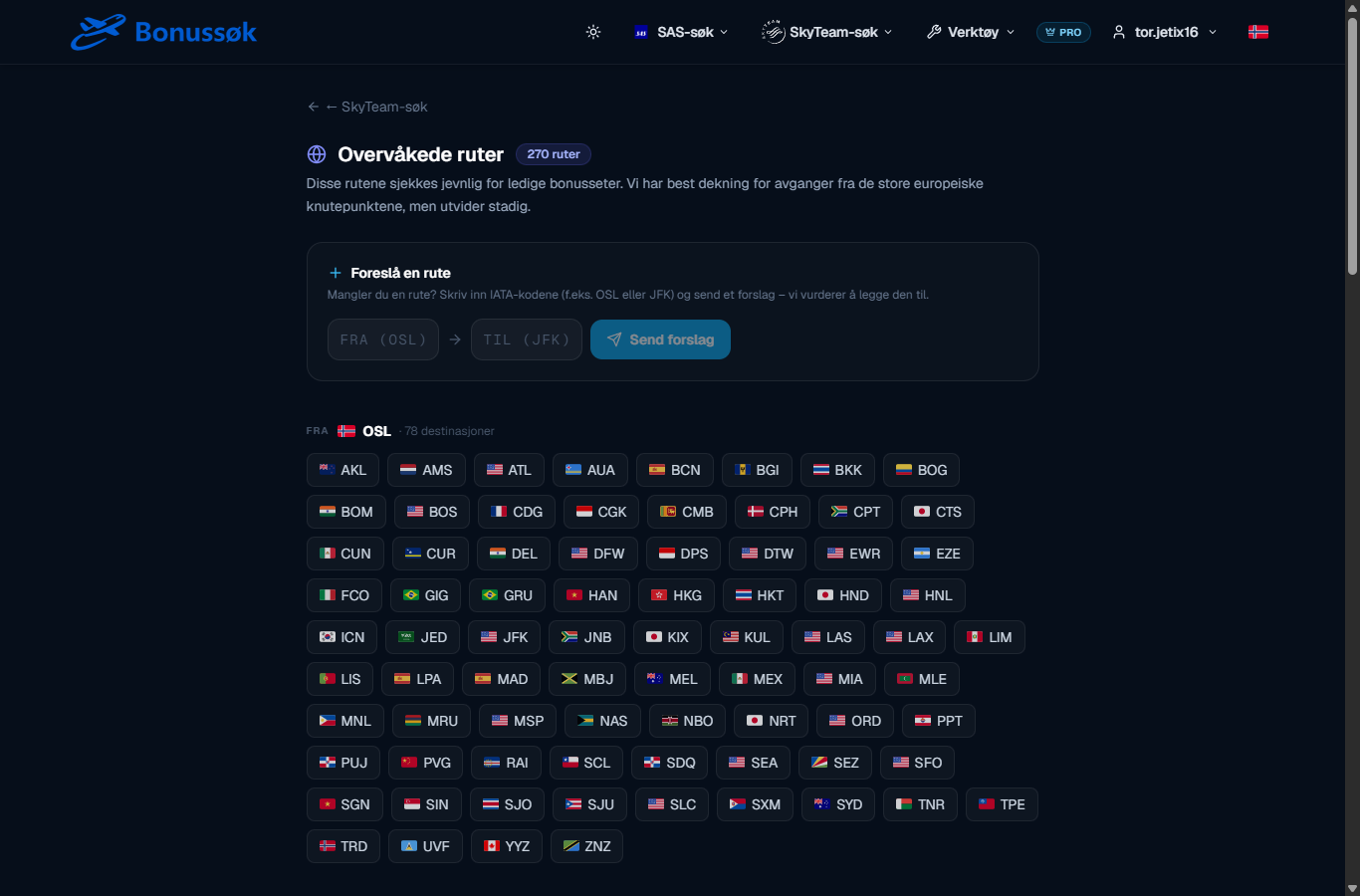
Coverage is best from the large European hubs, and from OSL alone we monitor dozens of destinations. If your route is missing, you can suggest it right from this page, and we’ll consider adding it.
How to use them together
The tools are built to work as a team. One workflow that works well:
- Start broad. Use the map or Award Finder to find where you can go, if you don’t already know.
- Confirm the specifics. Go to the live search, check your dates, and run a live search to be sure the seat is still there.
- Let it assemble itself. Use Trip-Finder if you want a finished round trip without pairing dates yourself.
- Catch what you can’t find. If a route has nothing right now, set up the Award Alerter and you’ll get an email when seats appear.
Once you’ve found the pieces, you can put them together in the trip planner, with hotels and a feeder flight from your home airport.
A few closing tips
- Coverage is best from large hubs like CDG, LHR, AMS, CPH and OSL. If you live somewhere else, plan for a feeder flight into one of them.
- Be flexible with dates. Partner seats are as scarce as SAS seats, and flexibility is what opens the most of them.
- Hide or exclude airlines with double points pricing if you want the most for your points.
- Remember why this became possible in the first place: read the background in the guide on SAS joining SkyTeam.
Ready to try? Open the SkyTeam search, or start with the SkyTeam map if you’d rather explore first.