
The Trip Planner in Bonussøk: build the whole trip and share it with a link
Search results are one thing. A finished trip is another. The Trip Planner is where you turn the scattered seats you’ve found into one coherent plan you can actually travel by.
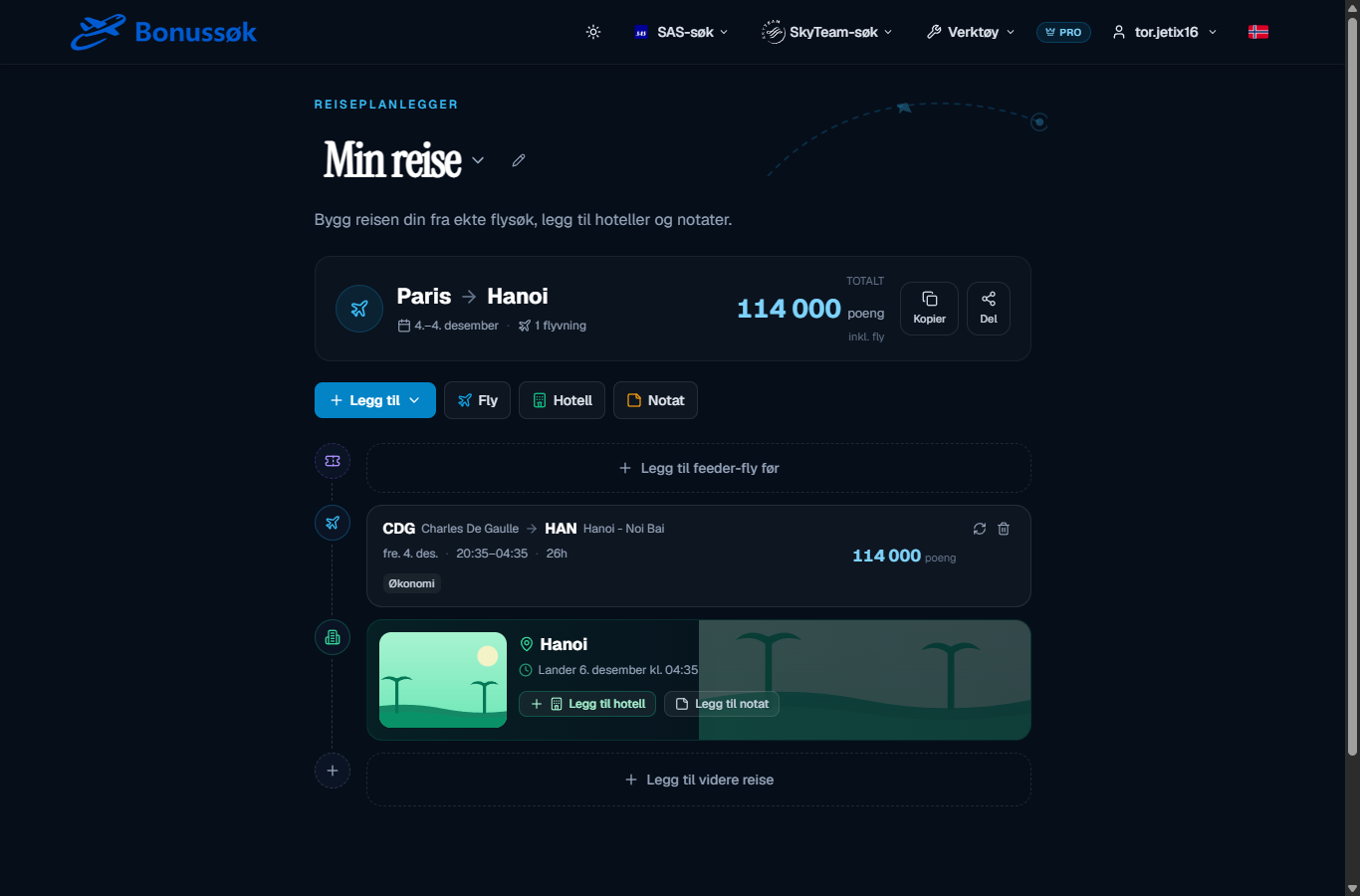
What it does
The Trip Planner lets you build a trip out of several legs from your search results. You can add hotel nights, notes and a feeder flight from your home airport, so you see the whole trip door to door in one place. Once the plan is ready, you can share it with its own link.
How to build a trip
You start with the flight you’ve found and build outward. Say your long-haul runs from Paris (CDG) to Hanoi. In the planner you add it, and then you fill in around it:
- A feeder flight before it, from your home airport to the hub, so the trip starts where you actually live.
- Hotel nights at the far end, so you see the stay together with the flight.
- Notes, for all the practical bits you’d otherwise keep in a separate app.
- Further legs, if the trip has more than one stretch.
At the top you see the total in points for the whole trip, and you can copy or share the plan. The share link comes in handy when several of you are travelling together and need to agree before anyone books.
The feeder-flight part is especially useful if you don’t live next to a big hub. It connects your home airport to the hub and on to the destination, so you get a complete trip instead of jumping between tools.
Why it’s useful
An award trip is rarely just one flight. It’s usually a feeder from your home city, a long-haul from the hub, a hotel at the far end, and a return that has to fit the whole thing. Keeping all of that straight in your head or in a notes app gets messy. The Trip Planner gathers the pieces and shows you the whole, so you can see whether the trip actually holds together before you book.
Who it’s for
This is for you if you plan slightly more involved trips, or if you want everything in one place and shareable. It’s part of the Pro tier. See plans and pricing for what’s included.
Once you’ve found the seats you want to combine, whether through the standard search or the SkyTeam search, the Trip Planner is where you turn them into a plan.
Common questions
Can I add a hotel and a feeder flight to the same plan? Yes. You can add a feeder flight from your home airport, hotel nights and notes, so the whole trip sits together door to door.
Can I share the plan with others? Yes. Every trip gets its own share link, which is handy when several of you need to agree.
Does the planner book the trip for me? No, it gathers and shows the trip. You make the actual booking with SAS or the partner, based on the seats you found in the search.
Try the Trip Planner and build your next trip door to door.