
The SkyTeam map in Bonussøk: see the whole partner network on a globe
The hardest part of partner awards often isn’t booking them, it’s knowing where you can even go. The SkyTeam map turns that abstract question into something concrete by showing the whole network as something you can see and click.
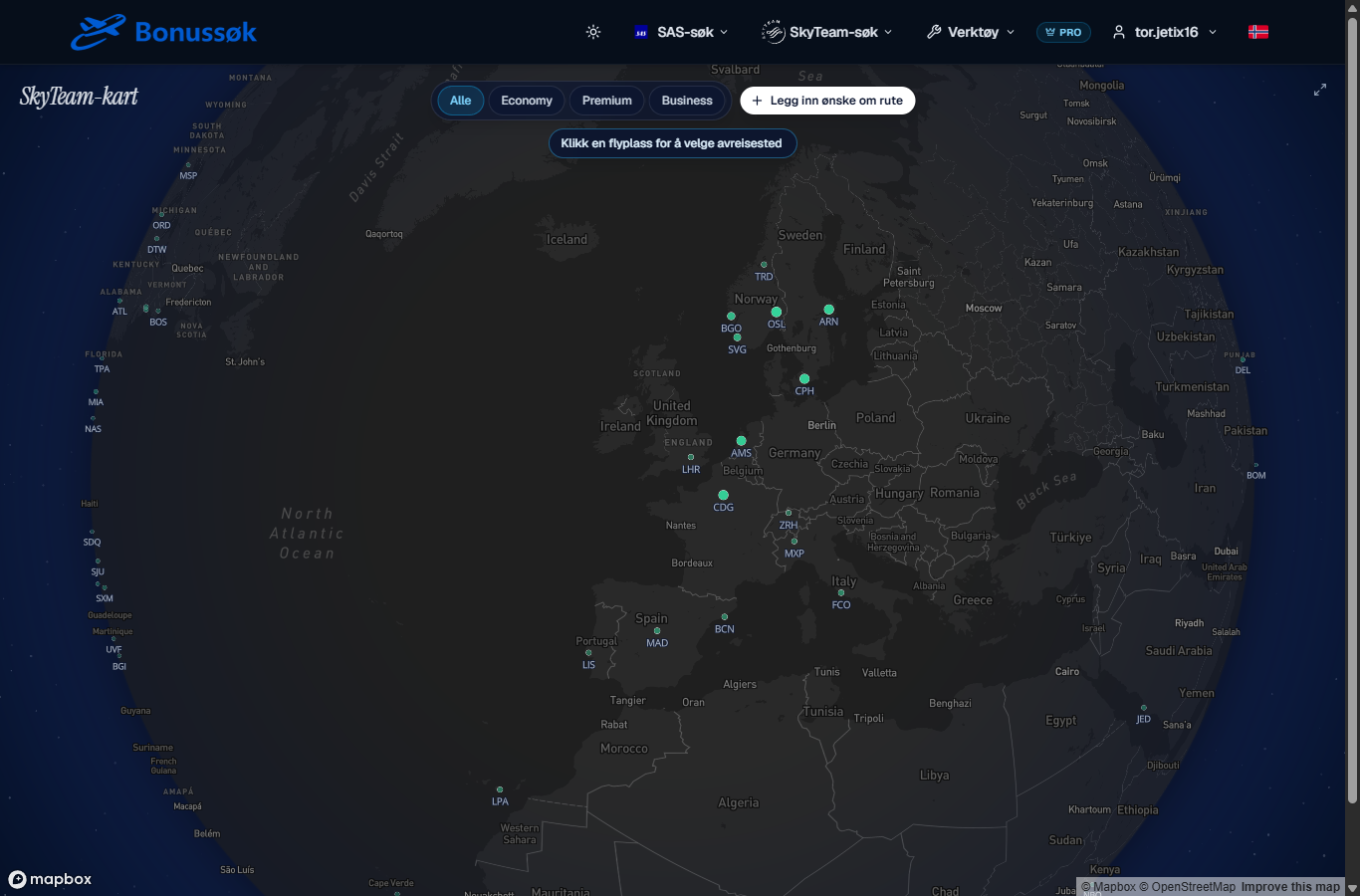
What it is
The SkyTeam map is an interactive world map of the routes you can fly with EuroBonus points on SkyTeam partners. You click one airport for departure and another for destination, and the route is drawn on the globe. Instead of having to know in advance where you want to go, you can explore and let the map show you the options.
How to use it
The map is built around two clicks. First you pick your home airport, then a destination, and the line between them appears. You can spin and zoom the globe like any other map, so checking a weekend in Europe is just as easy as a long trip to Asia.
A couple of things make it more than just pretty:
- A filter on cabin class, so you can see where, say, Business is actually open, not just where routes exist.
- The hubs with the most data stand out clearest. The big European hubs, where the partners have the best coverage, are the natural starting point for most trips from the Nordics.
When a route tempts you, head over to the SkyTeam search to check actual dates and prices. The map answers “where”, the search answers “when”.
Why it’s useful
When you’ve just started with partner awards, the biggest hurdle is that SkyTeam is a big and slightly unwieldy network. A map solves that. You see the hubs, you see where you can get to, and you get ideas you didn’t have before. It’s the difference between staring at an empty search field and flipping through a world map with your points in your pocket.
It’s also a good starting point before you move on to SkyTeam destinations to see what’s free month by month, or to ready-made SkyTeam trips for complete round-trip suggestions.
Who it’s for
The map is for the curious, and for anyone who wants inspiration rather than a fixed plan. If you just want a round trip to one familiar city, go straight to the search. But the moment the question is “where can my points take me”, the map is the best place to begin. It’s part of the SkyTeam tools on the Pro tier. See plans and pricing for details.
The background on why SkyTeam became relevant for EuroBonus at all is in the guide on SAS joining SkyTeam.
Common questions
Does the map actually show available seats, or just routes? You can filter by cabin class to see where a class is open. To confirm specific dates and prices, move on to the SkyTeam search.
Where is coverage best? Out of the big European hubs. If you live somewhere else, you connect a feeder flight into a hub.
Do I need to know the destination in advance? No. The map is made precisely for when you haven’t decided. You explore and let the options come to you.
Open the SkyTeam map and see where your points can take you.