The Award Alert in Bonussøk: get an email when award seats appear
The most common reason people miss award seats isn’t that the seats never showed up. It’s that they weren’t looking at the moment the seats were there. The Award Alert exists to take that problem off the table entirely.
What it does
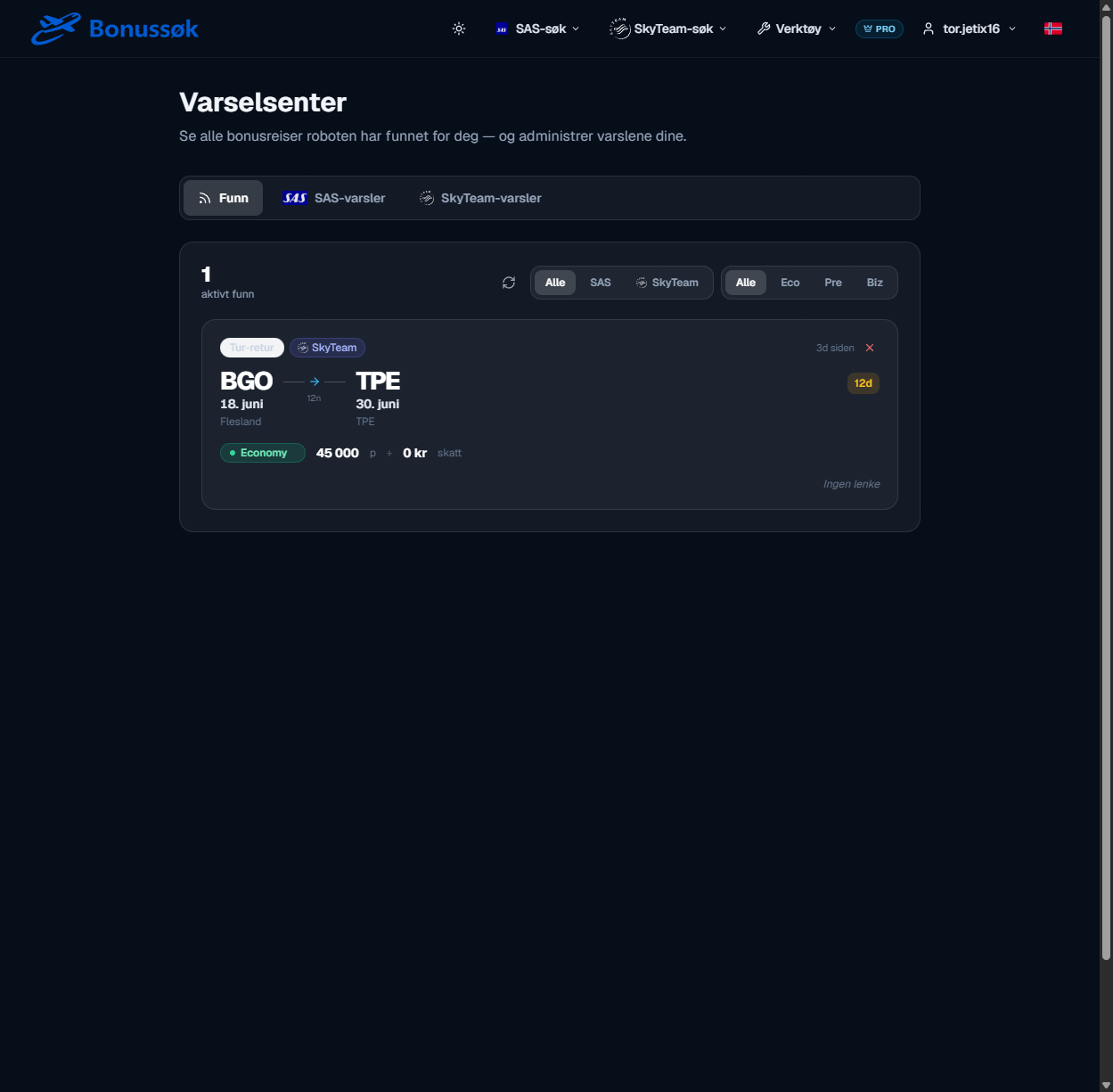
You tell it which route and roughly which dates you’re after, and the Award Alert watches that route for you. When matching award seats turn up, you get an email, usually with a direct booking link that takes you straight into the booking. Instead of you checking the route again and again, the route checks itself and lets you know.
It works for both SAS seats and SkyTeam partners, so you can track exactly the trip you’re aiming for.
How to set up an alert
You create an alert with a route, a cabin class and a date range, and then you let it run. A couple of things are worth knowing:
- You can pick fixed dates or a flexible search over a longer window if you aren’t tied to specific days.
- You can have several alerts running at once, so you follow more than one route in parallel.
- The bots search through your active alerts several times a day, including every night and morning, because that’s when SAS tends to update availability.
Everything the bot finds collects in the alert centre, where you see your hits and manage your alerts. You can filter by cabin class, so you quickly see whether it’s Economy, Premium or Business that has shown up.
Why it’s needed
Award seats are released unpredictably. An airline might drop a couple of seats in the middle of the night because it decided not to sell them for cash. Nobody checks a route several times a day for weeks on end, so without alerts you’re relying on lucky timing. With alerts you aren’t.
This matters even more for the rare seats: Business, several seats for a family, or popular routes during holidays. They disappear fast, and alerts are the only realistic way to catch them. There’s more on the strategy in the guide to setting up award alerts.
Who it’s for
The Award Alert suits anyone who has a specific trip in mind but can’t find a seat yet. It’s part of the paid plans. See plans and pricing for what’s included at each level.
Use it alongside the standard search: book what’s available now, and set alerts on the routes that don’t have anything yet. That way you’re covered both ways.
Common questions
How often does it check my routes? Several times a day, including every night and morning, because that’s when SAS typically updates availability.
Can I have several alerts? Yes. You can follow multiple routes at the same time, with fixed or flexible dates.
Do I get a link straight to the booking? The email usually comes with a direct booking link, so you don’t have to hunt your way there again.
See the Award Alert and stop reloading the search page.