
The standard search in Bonussøk: find available SAS award seats in real time
The standard search is where most people begin, and for many it is the only tool they ever need. It does one thing well: it shows you which SAS departures actually have available award seats, in real time, without making you click through the SAS site one date at a time.
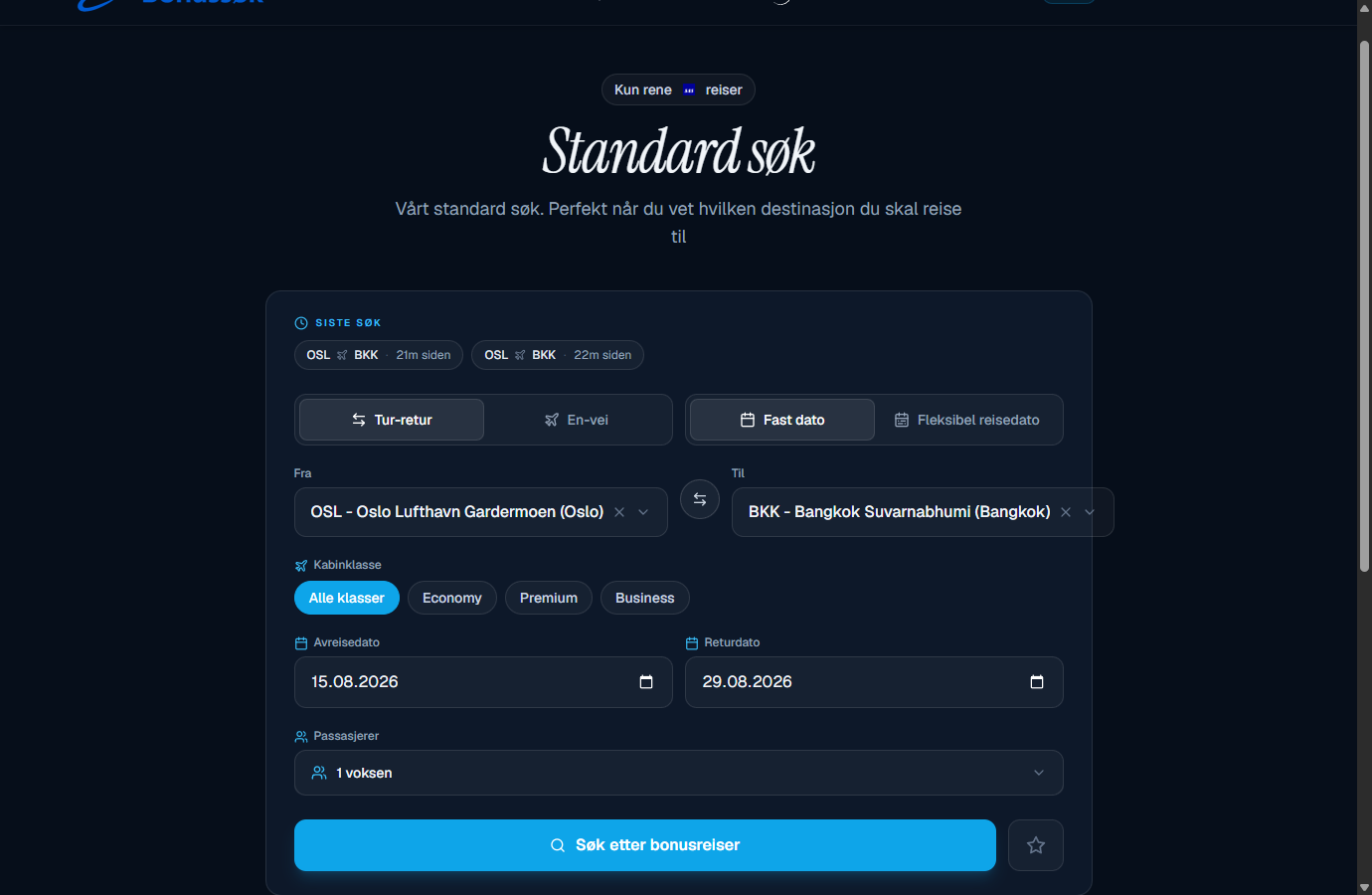
What it does
You pick your origin, destination and dates, and the search checks SAS EuroBonus availability right away. Instead of opening SAS, trying one date, getting nothing and trying again, you see the results together. What takes fifteen minutes of frustrated clicking on the SAS site takes a few seconds here.
How to use it
The form is simple, but a few options are worth knowing:
- Round trip or one way, depending on how you travel.
- Fixed date or flexible travel date. With a fixed date you check specific days; with flexible you see a small range around them.
- Origin and destination airport, cabin class and number of passengers.
You can also swap departure and arrival with one click, and your recent searches sit at the top so you can quickly repeat a route you were watching. Once you have filled it in, you search, and the departures with seats available are laid out for you.
Every cabin class in one view
The biggest difference from searching directly on SAS is that you see Economy, Premium Economy and Business next to each other. That means you can discover that Business is actually open on a given day at a price worth the points, or find the one cheap Economy day in an otherwise expensive week. You skip searching each class on its own.
How to get the most out of it
Most of it comes down to being flexible with your dates. SAS only releases a limited number of award seats per departure, so they are not spread evenly across the week. If you check several dates around the one you really want, your chances go up a lot. There is more on why in the guide on finding available award seats.
If you find nothing on the route right now, you do not have to check manually every day. Set up the Award Alert and you will get an email when seats appear.
Who it is for
The standard search suits everyone, from someone who has never booked on points to the seasoned collector. If you have a specific route and a few possible dates, this is where to start. If you are more flexible, there are dedicated searches for that: the flexible search scans whole months, and the weekend search shows which destinations have seats on upcoming weekends.
You can try the standard search for free. The free tier gives you one SAS search a day, enough to see how it works before you decide to upgrade for unlimited searches. See the pricing overview for the details.
Frequently asked questions
Is the search in real time? Yes. The standard search checks SAS EuroBonus availability on the spot, not some old cached list.
Can I see Business and Economy at the same time? Yes. Economy, Premium Economy and Business show up side by side, so you compare the classes in one view.
Is it free? You can try it for free with one search a day. Unlimited searches come with the paid plans.
Try the standard search. It is free to test, so you can see what is available on your route right now.